# Reset user's password
Admins (and Managers) have the option to reset a user password.
Only amins can reset the password or another Admin.
### Reset a user's password
1. Sign in to the Tabnine console as an Admin (or Manager).
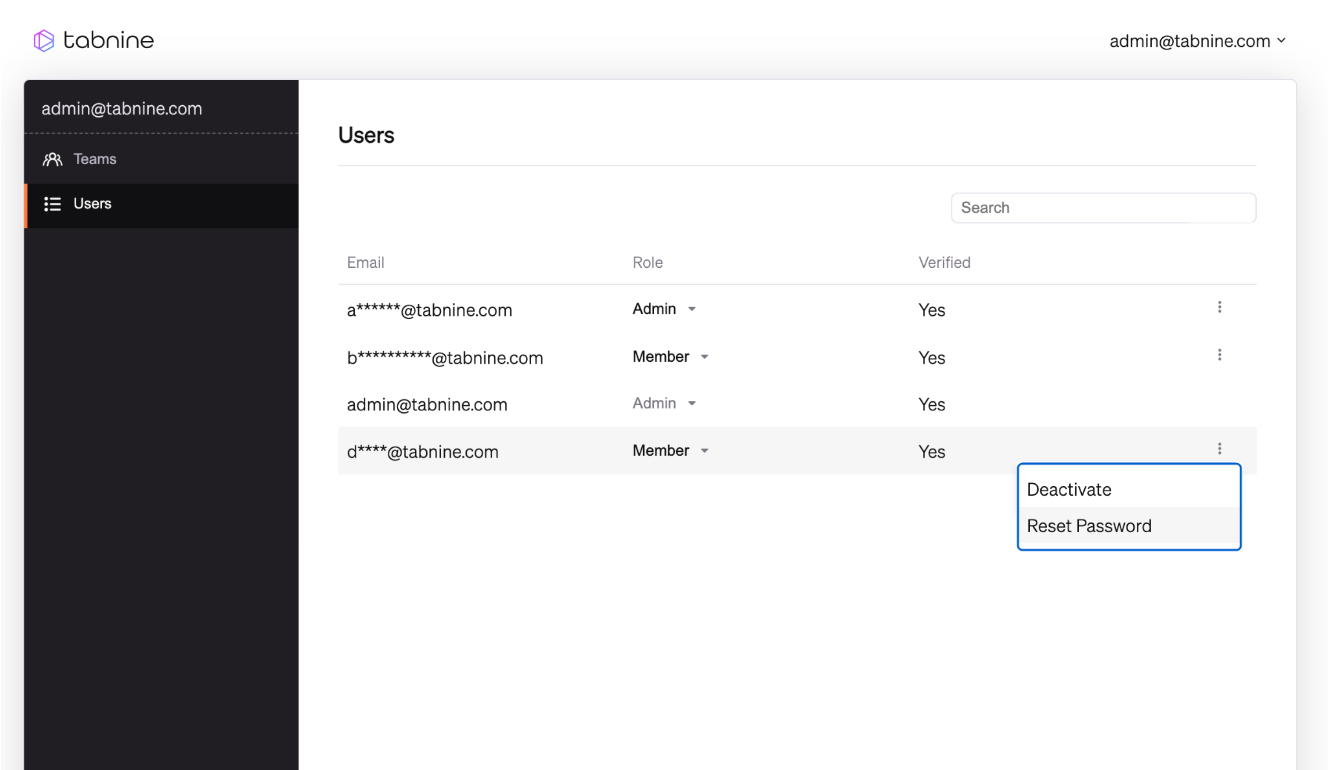
2. Go to the **Users** page.
3. Select the user whose password you want to reset and click on the three-dot menu on the right.
4. Click **Reset Password.**
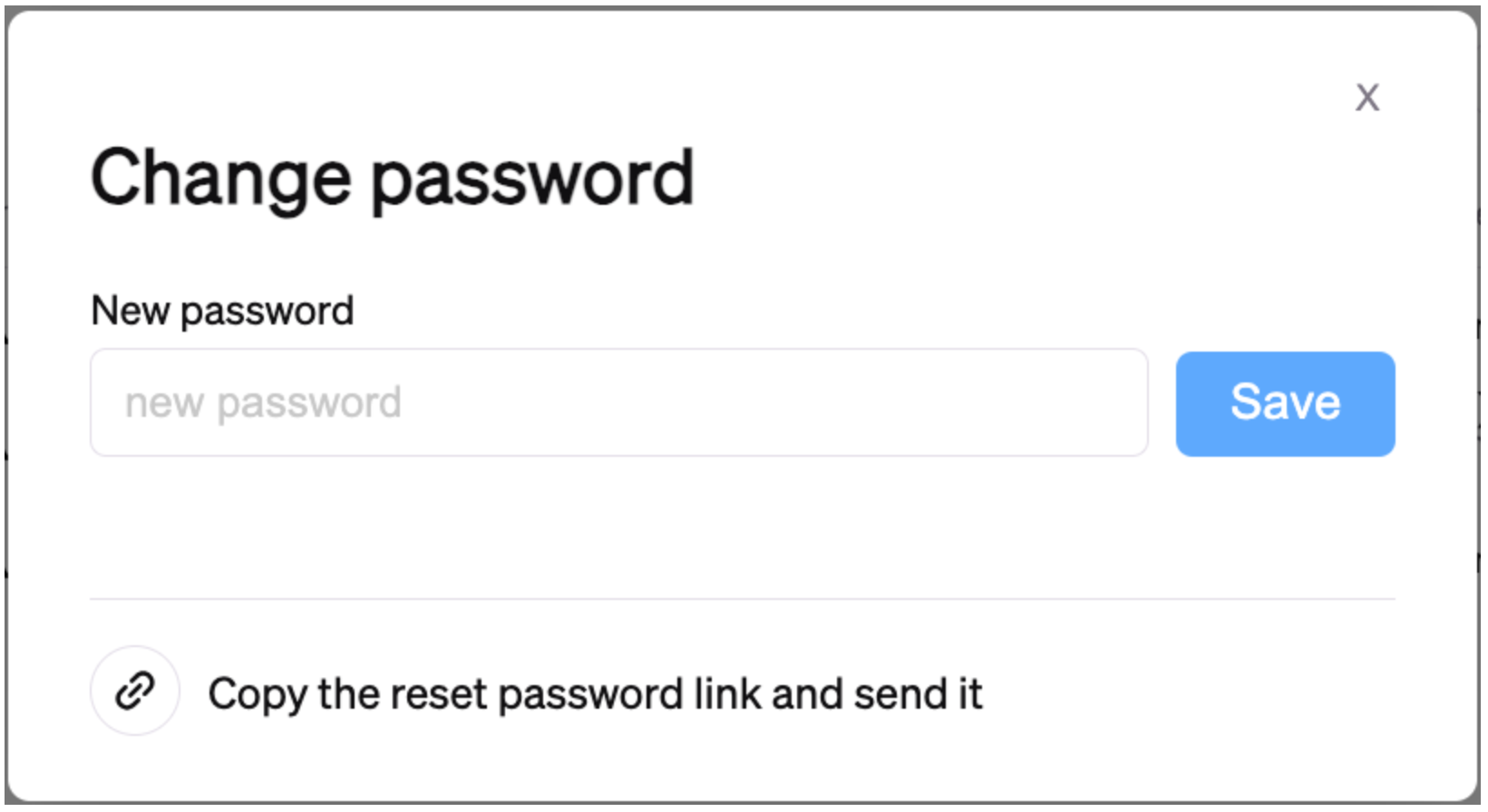
The following popup will appear:
You can reset the password in one of two ways:
1. Set the new password, click **Save**, and share it with the user.
2. Let the user set the password by selecting **Copy the reset password link and send it** and sharing it with the user.
###