> For the complete documentation index, see [llms.txt](https://docs.tabnine.com/main/llms.txt). Markdown versions of documentation pages are available by appending `.md` to page URLs; this page is available as [Markdown](https://docs.tabnine.com/main/getting-started/code-completion.md).
# Code Completions
{% hint style="info" %}
**This feature is available in the following IDEs:**
VS Code, JetBrains IDEs, Visual Studio 2022 and Eclipse
{% endhint %}
As you code in your IDE, you’ll get AI code suggestions based on your current context. The code completions adapt to your code as you type, and can offer on-the-fly code completions, full-function completions, or even natural language comments to code.
Tabnine’s code completions can help save significant time and effort when you’re writing or revising code. For example, by writing lines of code for you or by providing exact syntax, Tabnine saves you the time and effort of looking it up when you can’t remember something.
### Getting started with code completions
#### **Get Tabnine’s code suggestions**
As you code, you’ll see Tabnine’s code suggestions inline in gray (in addition to the IDE’s pop-up suggestions):

#### **Accept a code suggestion**
Hit Tab to accept a code suggestion:

#### Accept part of a code completion
In some IDEs (VS Code and JetBrains), you can accept just part of a code completion:
* Line by line (VS Code and JetBrains)
* Word by word (VS Code)
{% hint style="info" %}
To set the key shortcut for accepting part of a code completion:
**JetBrains**\
Go to **Settings... > Keymap > Plugins > Tabnine > Accept Line**
**VS Code**\
Go to **Command Palette ... > Preferences: Open Keyboard Shortcuts > Accept Next Line (or Word) Of Inline Suggestion**
{% endhint %}
This is especially useful for code multiline code completions when you need only the first part of the completion.
{% hint style="info" %}
**Tips**
1. Use descriptive functions and variable names for accurate predictions.
2. If the current suggestion isn’t what you need, try typing a few more characters to use slightly different functions or variable names.
{% endhint %}
### Types of code completions provided by Tabnine
#### Whole-line suggestions
As you code, you’ll get code suggestions based on your current context, which adapts with every additional character you type. This is the most common type of code completion, suggesting code until the end of the current line.
**Tip:** Use descriptive functions and variable names for accurate predictions.


#### Full-function suggestions
When you get to a new line right after a function declaration, you’ll receive a suggestion for a full-function implementation. Again, we recommend using descriptive functions and variable names for accurate predictions.
If the full function isn’t what you expected, try using slightly different names:


**Comment-to-code completions**
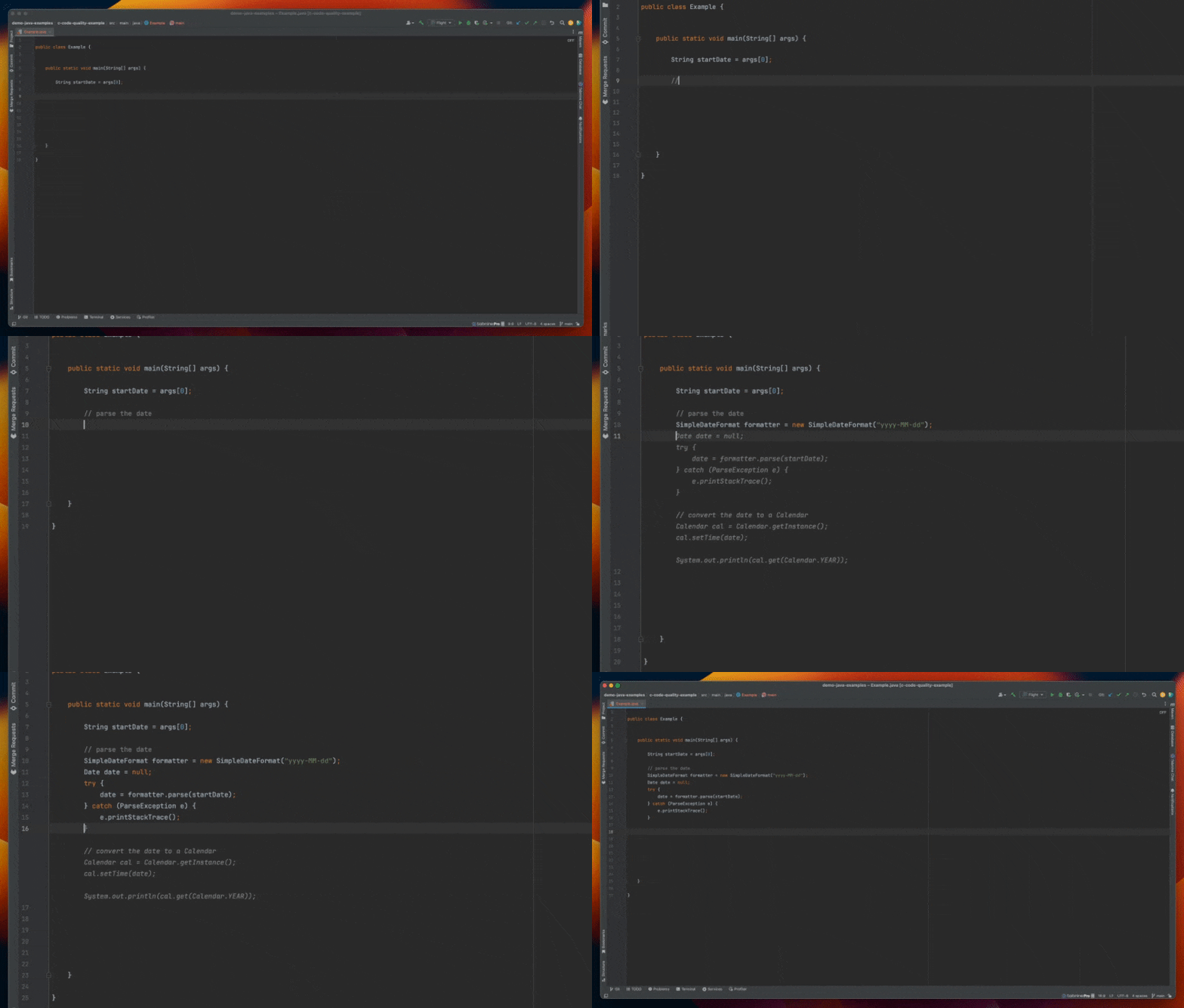
This type of completion allows you to explicitly declare what you want as a comment in natural language. On the line after the comment, Tabnine will suggest code that performs this task.
If the code isn’t what you were expecting, try using slightly different instructions:


---
# Agent Instructions
This documentation is published with GitBook. GitBook is the documentation platform designed so that both humans and AI agents can read, navigate, and reason over technical content effectively. Learn more at gitbook.com.
## Querying This Documentation
If you need additional information that is not directly available in this page, you can query the documentation by asking a question.
Perform an HTTP GET request on the following URL with the `ask` and `goal` query parameters:
```
GET https://docs.tabnine.com/main/getting-started/code-completion.md?ask=&goal=
```
`ask` is the immediate question: it should be specific, self-contained, and written in natural language.
`goal` is what the user is ultimately trying to achieve, the reason they need the answer. Sharing it helps GitBook give you a better, more relevant answer. A goal is most helpful when it describes the outcome the user wants rather than restating the question. For example, with `ask=how do I create an API token`, a goal like `automate deployments from our CI pipeline` lets GitBook tailor the answer to that use case.
The response will contain a direct answer to the question and relevant excerpts and sources from the documentation.
Use this mechanism when the answer is not explicitly present in the current page, you need clarification or additional context, or you want to retrieve related documentation sections.